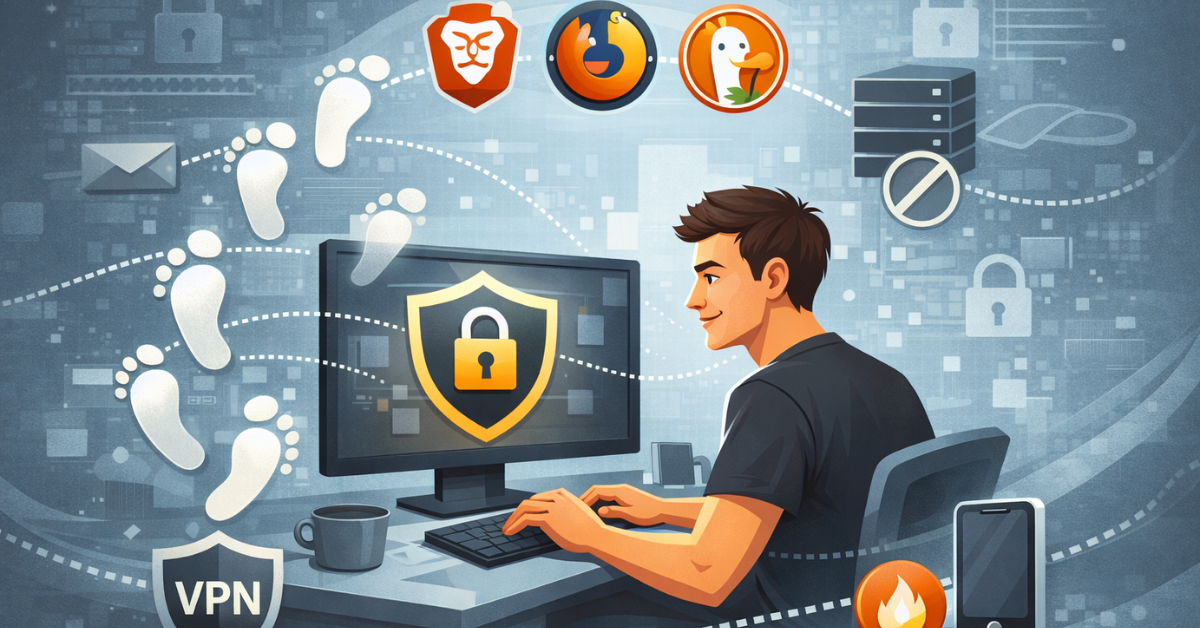

Digital privacy. That phrase never used to mean much to me—until I completed CS50’s Cybersecurity course with David J. Malan and explored OPSWAT’s Introduction to Cybersecurity. Suddenly, every click, search, and online interaction I thought was harmless revealed a deeper truth: I was leaving behind a digital footprint, a trail of data meticulously tracked, analyzed, and monetized. What blew my mind was realizing that even small habits—like using Incognito mode—weren’t truly private. That’s when I started experimenting with digital privacy tools, privacy-first browsers, and alternative search engines that promised to put control back in my hands.
Table of Contents
It felt like discovering a secret level in a video game—a mix of excitement and disbelief. The lessons from CS50 weren’t just theory anymore; they directly influenced how I browse the web and protect my information.
As 2025 winds down, I can’t help but reflect on how much my understanding of digital privacy has changed this year. Completing CS50’s Cybersecurity course and diving into hands-on tools has been eye-opening. So as we step into 2026, I’m excited to carry these lessons forward—taking control of my online footprint, browsing smarter, and keeping my data secure. Happy New Year! Here’s to starting the year empowered, aware, and ready to make every click count.
What Exactly Is a “Digital Footprint” in 2025?
A digital footprint is the trail of data you leave online—intentionally or not. From social media posts and emails (active actions) to your IP address, browser history, and even device settings (passive tracking), companies can piece together a detailed profile of your habits, preferences, and identity.
CS50 helped me understand how much of this footprint is invisible to us. For example:
- Your browser might reveal your screen resolution, fonts, battery level, and plugins—all used in a technique called browser fingerprinting.
- Your location data, even when “off,” can sometimes be inferred from your IP or Wi-Fi networks.
By 2025, digital footprints are not just used for ads—they influence credit scores, employment algorithms, and even insurance rates. That realization was a wake-up call.
Why Is Everyone Moving Away from Google Chrome?
Chrome has been the default for millions, but recent changes—like Manifest V3—have restricted the power of ad-blockers and privacy extensions. Essentially, Chrome now limits the tools that allowed users to take control of digital privacy, prompting many to seek browsers with native privacy protection.
I noticed this firsthand while testing trackers on CS50 labs: Chrome simply didn’t block some advanced tracking scripts unless I jumped through hoops. Privacy-focused browsers like Brave or Arc do this by default, without relying on extra plugins.
Does “Incognito Mode” Actually Protect Your Digital Privacy?
This one surprised me. Incognito doesn’t make you invisible—it only prevents your history and cookies from being stored locally. Your ISP, websites you visit, and Google still see everything. CS50 labs showed me real examples where “private” browsing left footprints that could be traced back to me.
It’s a common misconception: many people assume Incognito equals privacy. In reality, it’s just local cleanup, not network protection.
What Is Browser Fingerprinting?
Browser fingerprinting is a surprisingly accurate way to track you, even without cookies. Every device has a unique combination of:
- Installed fonts and plugins
- Screen resolution and device type
- Operating system and browser version
- Battery level, time zone, and more
CS50’s cybersecurity exercises taught me that fingerprinting can identify you across websites with up to 99% accuracy in certain scenarios. This is why simply clearing cookies isn’t enough—your browser itself can betray you.
The Best Browser Alternatives for Digital Privacy
After testing many options, here’s what I learned:
Brave: Best for the average user. Blocks ads and trackers by default, integrates Tor for private tabs, and requires almost no setup.
Firefox (hardened): Good out-of-the-box, but to reach maximum digital privacy, you need tweaks or a fork like LibreWolf.
Mullvad Browser: Developed with Tor Project collaboration. Focused on combating fingerprinting by making every user appear identical.
Tor Browser: Maximum anonymity. Routes traffic through three layers of encryption. Extremely secure but slower.
DuckDuckGo Privacy Browser: Both a search engine and a browser, with the “Fire Button” to instantly erase all tabs and data.
Technical Features That Enhance Digital Privacy
Some advanced concepts I discovered via CS50 and OPSWAT:
- Manifest V3: Chrome’s update that limits ad-blocker capabilities. Drives users to non-Chromium browsers.
- IP masking: Opera and Epic have built-in proxies; others require Tor or a VPN.
- Global Privacy Control (GPC): A browser signal to websites requesting that your data not be sold.
- Site Isolation: Prevents one browser tab from accessing data in another, aligning with the Zero Trust principle.
These aren’t just jargon—they’re tools that give you tangible control over your digital footprint.
Taking Control of Your Data
Practical steps I’ve adopted for better digital privacy:
- Stop using “Sign in with Google/Facebook” to avoid cross-site tracking.
- Use burner emails (Firefox Relay, SimpleLogin) for temporary accounts.
- Employ a password manager (Bitwarden) to ensure unique, strong passwords everywhere.
- Remove yourself from people-search sites with services like Incogni or DeleteMe.
Even small changes drastically shrink your digital footprint.
Advanced Digital Privacy Protection Techniques
For those who want to go further:
- Zero Trust mindset: Assume no website or app is safe.
- AI-assisted privacy: Tools now analyze Terms of Service, flagging data collection practices automatically.
- Battery and performance gains: Privacy browsers often save 30–50% battery on mobile by blocking heavy tracking scripts.
- Nuclear Option (“De-Google”): Switch to a privacy browser, non-tracking search engine, and encrypted email provider all at once.
It may sound extreme, but even partial adoption makes a huge difference.
Final Thoughts and Next Steps
Digital privacy isn’t just a technical exercise—it’s a mindset. After completing CS50 and exploring OPSWAT’s lessons, I realized that understanding cybersecurity is one thing, but acting on it is transformative. Using privacy-first browsers, hardened search engines, and layered security measures feels empowering.
If you’ve ever been curious about how much of your life is visible online, I encourage you to start experimenting today. Install a privacy-focused browser, try a burner email, and see how it changes your digital experience.
Your digital footprint is yours—take ownership of it.